Hardwareinfo
Information about EDP-Systems
If you focus yourself on the acquisition of an EDP-system...
... you will fairly quickly discover that, for a normal user, it is very difficult to keep track of the choices in hardware Today, hardware is commonly used as a generic term for the technical equipment of a computer system.. And considering the most diverse commercial slogans makes it even more difficult to find an EDP Electronic Data Processing (EDP) is the comprehensive term for the collection and processing of data through electronic machines. system that is most suitable for your own purposes.
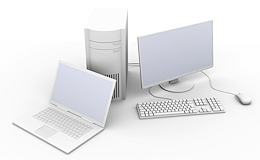
Nowadays it is not enough anymore to simply just buy a new computer, especially when the EDP-system should be used commercially. Cause in that case also the topics of Data and Virus A computer virus (from the Latin word virus for poison) is a self-proliferating computer program which is able to infiltrate other computer programs and reproduce. The classification as virus refers to the distribution and infection function. protection, Data backup, Hardware maintenance, Administration of servers A server is a central computer in a designated network structure, from which the resources of the central computer can be accessed by multiple workstations (clients). and networks, but also the On-site service should be considered.
If we may give you some advice, we would recommend that you consult a specialty retailer for EDP-systems. Then only a specialist can solve many questions for you and advice you competently about the topic EDP. He will help you with selecting a suitable EDP-system and you have furthermore a partner who can ensure that your EDP-system works properly at any time. On this foundation, you will be able to use all advantages of CARAT to the fullest at all times.
An assistance with picking the proper hardware for your company is offered via: The hardware configurator
Detail information
Following we would like to offer all interested some information that should be considered for the effective use of an EDP-system.
 Antivirus programs
Antivirus real-time scan settings for CARAT:
Add the entire CARAT folder as an exception (exclusion) for the real-time scan to your antivirus program.
C:\CARAT
C:\WinCarat
or the individually configured A configuration designates the specific program settings or hardware components in a computer. installation path.
Process exclusions:
Please add the files Carat.exe and CARTcef.exe as exclusion.
Important for network installations:
If CARAT is operated on a network or via a server, the exceptions must be set up on both sides:
On the server:
-
Exclusion of the CARAT folders
On each client PC:
-
Exclusion of the local CARAT folders
-
Exclusion of network paths if CARAT data is loaded via a UNC UNC (Universal Naming Convention) is, to a large extent, standard if you want to access shared resources (folders, whole drives etc.) in a computer network. Thus, a connection can be made without the assignment of a drive letter. The format of such a network path for Windows is:\\Server-name\shared-folder\path. network drive
Example: \\SERVER\CARAT
Further information about the settings of the real-time scan can be found on the website of the antivirus program's manufacturer or consult an IT expert or your network admin.
Firewall
Required ports to authorize for CARAT:
Default port 443 for the access to HTTPS HTTPS (HyperText Transfer Protocol Secure) serves to encrypt and authenticate the communication between web server and browser in the World Wide Web. Without encryption web data is easily readable by anyone that has access to the respective network. pages
Default port 80 for the access to HTTP pages
Default port 27017 for the access to the new CARAT database
For using the full range of functions of the CARAT kitchen design it is furthermore necessary that CARAT can access the following internet addresses:
|
URL |
Purpose of use |
|
Module |
|
https://*.signosign.com |
signotec (electronic signature) |
|
2P |
|
Via CARAT cloud |
Technical order check (TAK) |
|
4V |
|
Via CARAT cloud |
Automatic Technical Order Check (ATAK) |
|
4F |
|
https://www.caratcloud.com |
CARAT cloud |
|
4Z |
|
https://caratcloud.com |
Assistant for the CARAT cloud portal login |
|
|
|
https://cdn.jsdelivr.net/ |
CARAT productinfo |
|
|
|
https://livecaratcloudblobstore.blob.core.windows.net |
Updating graphical and catalogue data, updating the setup |
|
4G, 4H, 4I |
|
https://doc.caratcloud.com/ |
CARAT help, CARAT news, CARAT update description |
|
|
|
https://kitchenandspace.de |
Planning closet and sliding doors systems |
|
8R |
|
https://www.kitchenandspace.de |
|
|
|
|
https://www.bsh-pladmin.com |
Bosch HPL+ |
|
|
|
https://*.carat.de
|
Product information with online ordering options The word option (from Latin: optio = free will) used in computing means a choice. In CARAT it is normally used with a list box., company portrait, contact options for sales department and support, CARAT remote maintenance, references |
|
|
|
https://www.5-jahre-garantie.de |
Garantiedatenbank |
|
9G |
|
http://www.eximus-data.com |
URL of the Eximus web portal (Eximus laser measuring) |
|
3L Eximus |
|
https://sys.eximus-data.com/FE/Carat/WebService.aspx |
URL for Eximus orders and status requests (Eximus laser measuring) |
|
|
|
https://b2b.pos-sg.com/ |
URL of the POS web portal (POS laser measuring) |
|
3L POS |
|
https://api.pos-sg.com/xmlservice/ |
URL for POS orders and status requests (POS laser measuring) |
|
Furthermore, in your firewall A firewall is a system made up of software and hardware components, which limits access between different computer networks, to establish a secure architecture. you should give unlimited reading and writing access for the CARAT installation directory and all files stored there.
Data backup
In the worst case scenario, a data loss in the environment of CARAT could result in the irrecoverable loss of customer data, commission data, calculation settings, changes in the article master data Head data in CARAT is the generic term for all details that are needed for the design and ordering of a kitchen. This is for example, the selected program or variations in carcase versions, or worktop edge. or special settings of your installation. Therefore, a complete data loss of CARAT can entail a high financial loss. Thus, a reliable data backup should be considered from the very beginning as such events usually happen unexpectedly as far as our experience goes. As soon as you work with a software Software denotes all nonphysical functional components of a computer, which contains at least one microprocessor. This primarily includes computer programs, as well as data used with computer programs., data is created which generally should be used at a later time. Unfortunately, computer data is very sensitive and can be lost due to various causes. The most common causes are:
- Data have not been saved
- The hardware suffers a defect
- The computer has been infected by a Virus / Malware Computer programs that are developed to execute undesired and as case may be harmful functions, not desired by the user are called malware (a combination of the Latin word malus, bad, and software). The term malware is in use as collective term, to describe the big scope of hostile, intrusive and/or undesired software or programs.
- An error occurring during an update
- Demolition of the hardware because of a fire
- Theft / loss of the hardware
By now there are several options for a good functioning data backup procedure available. Among them is surely an alternative that is optimally suitable for your company.
We therefore highly recommend to consult your computer retailer or your IT expert for information on a proper concept for your needs.
Without a good functioning data backup, you will have to start from zero, after a loss of data!
Potential data carriers you can use for backup:
- RDX drive, hard disks, tape drive A tape drive, also know as a streamer, is an external data storage device used for storing additional and rare data, e.g. for data backup., NAS drive, cloud service or similar.
Data backup
Even updating a software application with an installation program (setup) always represents an intervention with the data structure of the respective program. If various customized settings have been made, as ist is required in CARAT, we strongly recommend to run a data backup before every update. With an existing data backup you can restore the previous status of a program without circumstance at any time, in case an update process could not be executed flawlessly.
Internet browser
The for CARAT recommended browsers in their most current versions are:
Chrome
Firefox
Edge (new version, with Chrome-Core)
Internet connection
- DSL Over DSL (Digital Subscriber Line) private users and companies can send and receive data at very high transmission rates. DSL uses the existing phone lines. connection or wired internet
- 250 Mb/s download Downloading is a term used in electronic data processing. To download means to acquire data from another location (e.g. network PC or Internet) and transfer this data to your own computer. and 40 Mb/s upload
CARAT cloud
CARAT cloud technology:
-
CARAT cloud uses the Microsoft Azure platform.
-
The hosting of the service is situated in Europe (the Netherlands) and for China in Singapore.
-
No personal data are stored (GDPR-conform).
-
The CARAT cloud user interface uses the Web-Framework-Angular.
-
The CARAT cloud works with the latest versions of the Chrome, Firefox and Edge internet browsers.
Note about the CARAT cloud services:
-
With the modules 4G (Graphic and Licence data download), 4H (Catalogue download), 4I (Setup download) data are synchronised with the CARATcloud server in cyclical intervals and the determined deviations are downloaded in compressed encrypted form and made available to your CARAT automatically. No further active user login is required for this. The intervals between the server requests (cycles) and further details can be found in the in the CloudSync.log file of the LOG directory of the CARAT installation folder.
The following additional Addition (in Latin: addere) is one of four basic operations in arithmetic. In primary school and in common language it is the expression used for the adding of two or more numbers. program functionalities are also executed as CARAT cloud services:
-
3V (CARAT view)
-
4F (Order control (ATAK))
-
9E (Éco-mobilier (FR))
-
8R (CARAT kitchen+space)
For a full range of functions in the CARAT cloud, please also note the Firewall.
Operating system
CARAT is solely developed for operating systems An operating system is the software which enables the use of a computer. It administrates operating resources like memory, input and output devices and controls the execution of programs. of Microsoft.
Working station computer
CARAT has been especially developed for use on Windows computers. You can use Desktop If you start your computer, and no programs are open, the Windows user interface or "desktop" will automatically appear on the screen. Here you will find the CARAT program symbol, with a standard installation. Also, the wastebasket and other links for functions and programs are located here. or Notebook computers. However, the full functionality of CARAT can only be guaranteed with of the current operating systems of Microsoft. The use of Tablet-computers cannot be overall recommended, because of the usually inadequate hardware that, especially in the range of graphics, can lead to problems.
The recommended operating system is:
-
Windows 11 (Pro, Enterprise)
You should refrain from the use of Home-versions of the operating systems because of the lack of network support.
More information about product support for your Microsoft operating system can also be found on the Website http://support.microsoft.com/lifecycle
Server
If CARAT should be used in a network, we also recommend the use of an operating system of Microsoft for the server. This is especially recommendable for the functions planned for the future in connection with SQL-databases, to, among other things, limit the installation and update effort for you. The by us recommended server operating systems are:
- Windows Server 2025
- Windows Server 2022
- Windows Server 2019
Linux
Based on lower costs might the operating system of Linux be interesting for a network, however considerable higher demands on the knowledge of the administrators are necessary. Also is, with a Linux server, more effort required to install and update CARAT correctly. De installation files of CARAT are merged in one MSI-package (Microsoft installer), which usually only can be installed automatically in a pure Windows network. The extra work caused by the use of a Linux server should therefore be done by your system administrator. In this case, support from CARAT can only be provided to a very limited extent.
CARAT can be used with the use of different special modules or module combinations. Therefore, it should be clarified in advance if a flawless operation of CARAT with the needed special modules or module combinations can be guaranteed on a Linux-Server.
Virtualisation
Virtualisation of Windows workstations
Unfortunately, we have to highly recommend not to use a virtualization software (e.g. Parallels with Apple MAC OSX, VMware or Hyber-V) as otherwise, a smooth operation of CARAT can not be guaranteed anymore. In particular, we have to point out the virtualization of the graphic board. A virtualized graphic board does not meet our requirements of a hardware graphic board and problems regarding the perspective display are to be expected. Support by CARAT can not be provided in this case.
Virtualisation of Windows servers
At this moment, we strongly discourage the server virtualisation for the use of the CARAT design program.
Network interface cards, graphics cards and other resources have to be emulated for virtualization. The actual main server then takes on tasks In the Microsoft Windows operating system a task is a process (e.g. a program), that is executed at the lowest system level (kernel). A task can be used to start supporting programs, in the background, without further input from the user. for several virtual servers. Since the CARAT company and its support cannot view and evaluate the scaling Scaling is a term in mathematics that designates a size change. In computer graphics the term is used to represent the optimal size of a design on paper. and utilization of the entire server with its individual virtual client A computer is denoted as a client, if it is configured as a workstation in a network, using the resources of a central computer (Server). servers, we cannot guarantee support for this constellation.
Our practical experience so far shows that even in well-set up virtual environments latencies occur which at times enormously delay working with the CARAT design program.
We recommend to use a dedicated hardware server. It should be set-up by your IT consultant or your network administrator and be integrated into your network, equipped with a current Windows server operating system.
Network
We basically recommend to use CARAT only in pure Client-Server networks. Only in these kind of networks is the necessary performance Performance, in the context of computing and software, is a term meaning the effectiveness at usage of resources and the quality of output from programs. and security to work fast, stable and reliable with CARAT guaranteed.
Peer-to-peer
We advise against the use of Peer-to-peer All connected computers in a peer-to-peer network have equal rights and can make demands on services as well as provide them. The computers can be utilized as workstations, but also can take over tasks in the network. networks. Because with this kind of network the actual server is missing, so that the database access of CARAT cannot be guaranteed adequately. Also the performance of these computer-bonds in connection with CARAT is rather poor.
VPN
A virtual private network (VPN) offers some practical advantages. It is reasonably priced, quickly deployable, and from the point of data protection very secure because of the encryption of the data communication over the internet. However, the praxis shows in many cases that the bandwidth in company networks is configured too small for the total data traffic.
Therefore is the use of CARAT as well as the further use of network resources (for example Notebook synchronisation) over a VPN not recommendable.
NAS
(Network Attached Storage, NAS) The use of a network depending storage that can be reached by each client instead of a server is not recommendable for the use with CARAT. Such a storage could potentially be used for data backup but not to store a CARAT installation for daily use.
WLAN-Router
A WLAN router A router is a switching computer which passes the received data to the designated target computer within a network (this process is called routing). can also be used to allow several computers to communicate with each other in a similar way to a network. However, the wireless connection of a WLAN router is not as reliable as a cable connection. For CARAT you need a permanent proper functioning connection to the server, because the use of CARAT requires a permanent access to the database. Problems with the execution of CARAT up to loss of data can occur because of unexpected interruptions of the connection.
When using a NAS-drive or a wireless connection via a WLAN router, against our recommendations, support from CARAT can only be provided to a very limited extent.
Graphic board
A graphic board directs the video display of a computer.
Because of the diversity of today's graphics cards and the still very unclear and often confusing labelling of individual graphics card types, it is not possible for us to recommend certain series of graphics cards for the use with CARAT. This is because there are sometimes considerable differences in performance despite the fact that the type designations are almost identical.
For our tests, with graphics cards, we generally use, as reference system, devices from the business line of the manufacturer Dell. Please note that the flawless functioning of a graphics card can only be ensured when also all other components (motherboard, power supply unit, drivers A device driver, most often shortened driver, is a computer program or module which controls the interaction between attached or built-in devices (hardware). It uses therefore an interface to a communications bus or other communication system that the device is attached to, to send and/or receive control signals and/or data to hardware.) work properly. Because a computer system can only be evaluated as a total, we can only give a global recommendation without obligations for graphics cards.
You can determine graphic board that is best suitable for your work environment using the Hardware configurator.
We recommend, in principle, the use of graphic cards from the consumer line, because a very good driver support is given with it and occurs in clearly shorter intervals as is common with for example highly specialised CAD The term CAD stand for Computer Aided Design. All detailed articles from a particular manufacturer, as well as the neutral catalogues in CARAT, are generated with CAD.-cards like cards of the Quadro-series. For the calculation of the perspectives are currently the functions Pixel Pixel or picture element identifies both, the smallest unit of digital raster graphics and the display of these graphics on a monitor with raster activation. and Vertex A vertex (Latin; plural vertices or vertexes) in geometry is a corner point of a polygon. Shader Shaders are hardware or software modules, which are responsible for certain rendering effects, e.g. determining the colour of an object. in use, which are adequately available with most graphic cards. CARAT uses for the graphic output the interface OpenGL The OpenGL standard describes about 250 commands, which allows the display of complex 3D-scenes in real-time.. This graphic-interface allows, among other things, for the movement in real time.
Nowadays are more and more Multi-Screen-environments desired. Graphic cards that are suitable for a multi-screen environment have usually a real high performance and therefore also corresponding current consumption. You should therefore be sure that the available power supply unit can provide for the necessary amount of current, because it otherwise can lead to unexpected system failures.
Random Access Memory (RAM)
The RAM is the fast short-term memory of a computer that enables the processor to directly access currently used data and programs.
The RAM size that is best suitable for your work environment can be determined using the Hardware configurator.
Hard drive
The hard drive A hard drive (hard disk drive = HDD) is a ferromagnetic storage medium in computer technology, to which binary data is written on the surface of a rotating platter. The hard magnetic coating of the platter is magnetized with the relevant information as the platter rotates. is the permanent storage of digital data, e.g. the operating system, the programs and user data on your computer.
The hard drive that is best suitable for your work environment can be determined using the Hardware configurator.
processor
The processor is the Central Processing Unit (CPU) of a computer. It interprets and processes program code as well as data in order to control operations and cycles in the system. The processor makes calculations, controls the execution of orders and coordinates the collaboration of different components such as RAM, hard drive, graphic board or input units (mouse, keyboard).
Source: www.chip.de
The processor that is best suitable for your work environment cann be determined using the Hardware configurator.
Power Supply Unit (PSU)
The power supply unit provides power to all components in the computer. The wattage indicates how much power is available.
Network interface card
A network interface card (NIC), also called network adaptor, is a hardware device that enables your computer to communicate with other computers or other networks. Network interface cards are available in different speeds. The higher the speed, the faster the data transfer.
The network interface card that is best suitable for your work environment can be determined using the Hardware configurator.
E-mail client
An e-mail E-mail (electronic mail) is a letter like message transmitted electronically over a computer network. client is a program or an app with which you can read, write, send and receive e-mails.
Currently we recommend for CARAT to use the 32 Bit desktop version of Microsoft Outlook.
Recommended and supported screen resolution and screen size for your kitchen planning
- 1920 x 1080 pixel (Full HD 1K) with a screen size The screen size is stated in inches (1 inch = 2.54 cm) and indicates the distance along the diagonal of the viewable screen. Unlike a TFT-Monitor however, is with a cathode-ray tube (CRT) monitor the visible range somewhat smaller than the diagonal of the CRT. from 24'' (inches The inch became more and more out of use with the implementation of the metric system, only in the English language area (and with non-metric threads) is the inch still in use, which is in 1956 defined as international or English Inch on exactly 25,4 mm. The unit symbol for the inch is „in“ or the inch character ("), which is the same as the second symbol.)
- 2560 x 1440 pixel (QHD 2K) with a screen size from 32'' (inches)
- 3840 x 2160 pixel (UHD 4K) with a screen size from 37'' (inches)
- Recommended: 2560 x 1440 pixel (QHD 2K) with a screen size from 32'' (inches)
Monitors for customer presentations:
Gaming TVs are recommended for large Customer presentation screens (40/50/60 inches) that display CARAT 3D perspectives and CARAT emotion. These screens are specially optimised for use with PC PC: The English term personal computer is the trade name for a range of computer systems, which originally were primarily manufactured by the company IBM. systems and guarantee a first-class visual experience with high image sharpness, precise colour reproduction and smooth display.
VR Glasses
See also: CARAT virtualreality
Recommended type of VR glasses:
|
Glasses models |
Resolution per eye |
Refresh rate |
Monitor |
Connections |
|
Pico 4 Ultra |
2160 x 2160 px |
up to 90 hertz |
2 x 2,56 Inch Mini-LED |
USB-C Port, Wi-Fi 7, Bluetooth 5.3 |
https://www.picoxr.com
The installation of STEAM VR from the STEAM Store is additionally necessary:
https://store.steampowered.com/
Tip: You will also find elaborate tutorials about the use and installation VR glasses on video portals on the internet.


