The index card - File
A special area (backstage) will be opened via the File index card Some dialogue windows are too voluminous, therefore the functions are separated into indexed groups. The subgroup names typically appear on the tab of the index card at the top of the dialogue and can be selected by clicking on the appropriate tab., by which you get to the basic functions of CARAT. In this area you will be offered functions that refer to the work with a commission, whereas the functions in the menu ribbon refer to the work in a commission (planning).
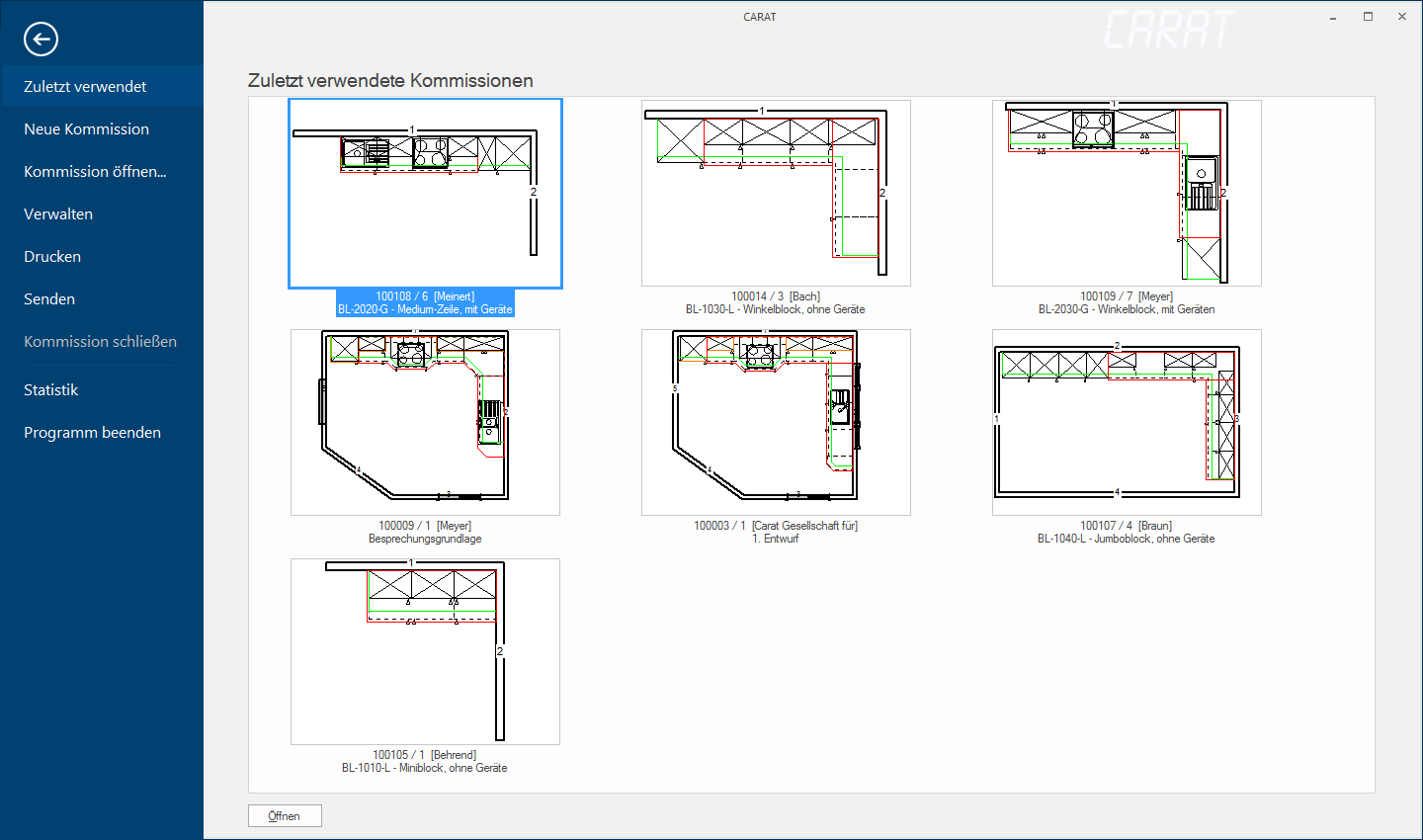
The backstage area opens as soon as you click Typically the LEFT mouse button is pressed once quickly, if not specified differently. Clicking will either mark an object, or when clicking on a button, the execution of the desired activity (e.g. OK, Cancel, Close). on the option The word option (from Latin: optio = free will) used in computing means a choice. In CARAT it is normally used with a list box. file in the menu ribbon and you will see the Most recent used commissions, with a preview of their floor plan and some information. You can also create a New commission via this area or access your available planning by selecting the option Commission open.
By selecting the Administer option you can copy or delete you existing commissions, if needed. Via this function you can furthermore access the archiving of commissions, to export commission from CARAT or to read in exported commissions into CARAT again.
By selecting the Print option you can access the batch print Batch print in CARAT is the name for a special type of printing. By means of a batch print you can print several different documents one after another (sequentially) in one step. for an opened commission or create a special printout with data for the precalculation for a selection of commissions. By selecting the Send option you can access the function Batch mail for an opened commission or initiate the GfK Export.
By selecting the Statistic option you have the possibility to create the statistical data for all commissions. Of course, you can also choose Close commission for an already opened commission or choose Quit program in this area.


