The design selection
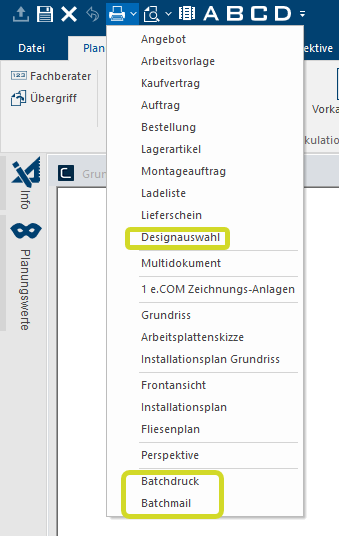
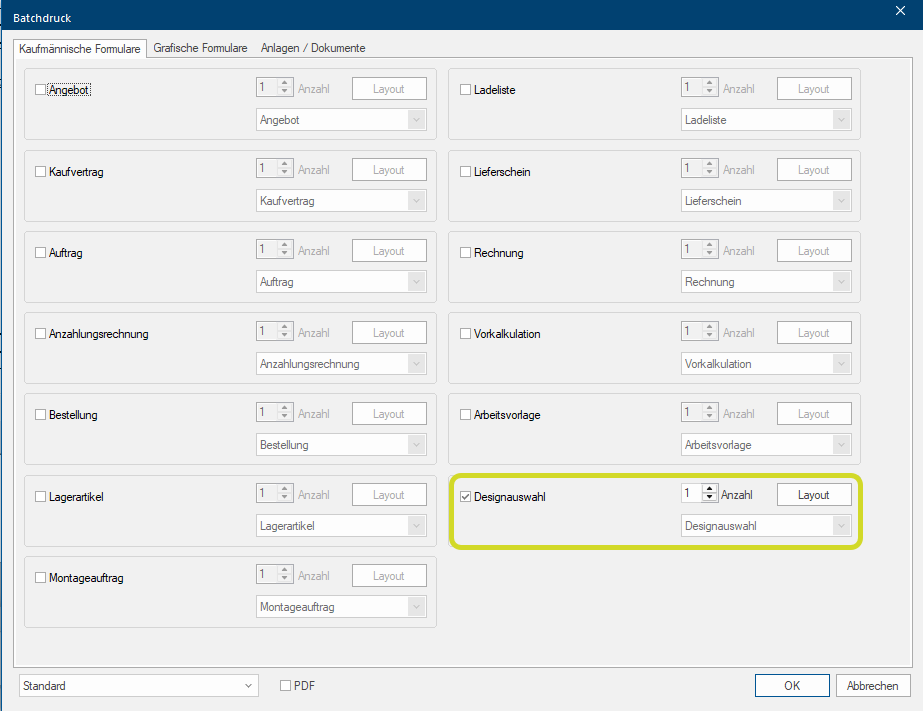
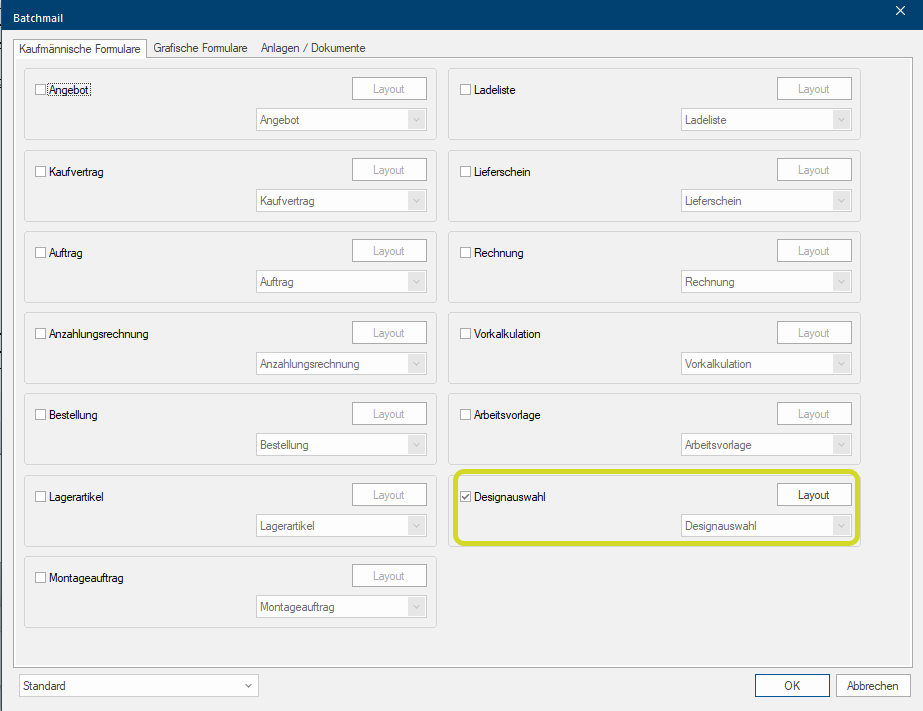
The Design selection is now available to you as New form for the Print selection and is selectable in the Batch print Batch print in CARAT is the name for a special type of printing. By means of a batch print you can print several different documents one after another (sequentially) in one step. and the Batch mail.
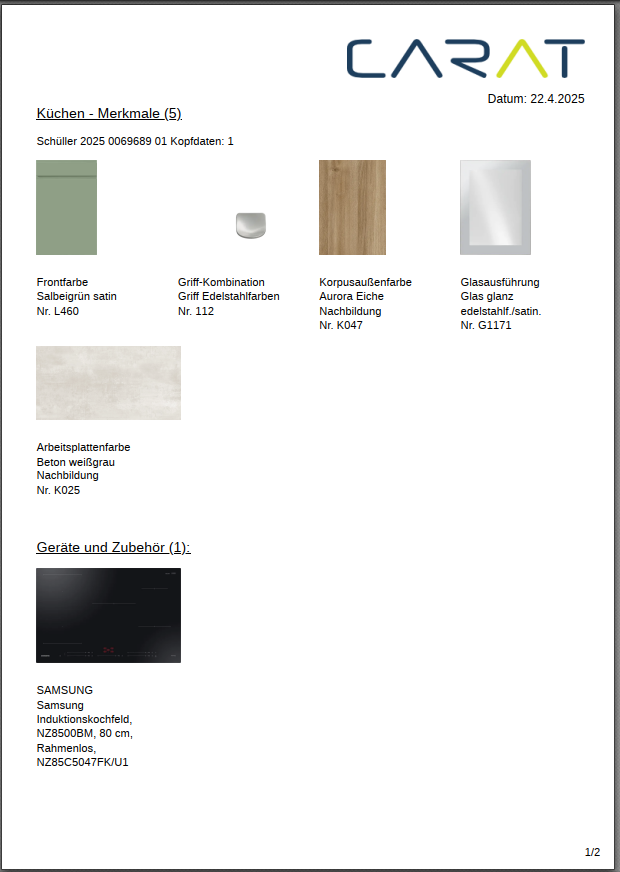
With the Design selection, the main Design variants (front, handle, worktops, plinth, glass) and the planned Appliances and sinks are summarised in an attachment to the commercial document (e.g. sales contract) in the form of a PDF The Adobe Portable Document Format (PDF) was developed and perfected in the 80's by Adobe Systems. Adobe PDF files contain data from any application, that can be displayed on every computer, and are suitable thereby to be exchanged with users throughout the world. document. This makes it easier to understand and prevents misunderstandings after the consultation and sale.
|
Print selection |
Batch print |
Batch mail |
|
|
|
|
|
Print example |
|
|
See also: Manufacturer overview
 What settings do you need to make in advance to be able to use the design selection?
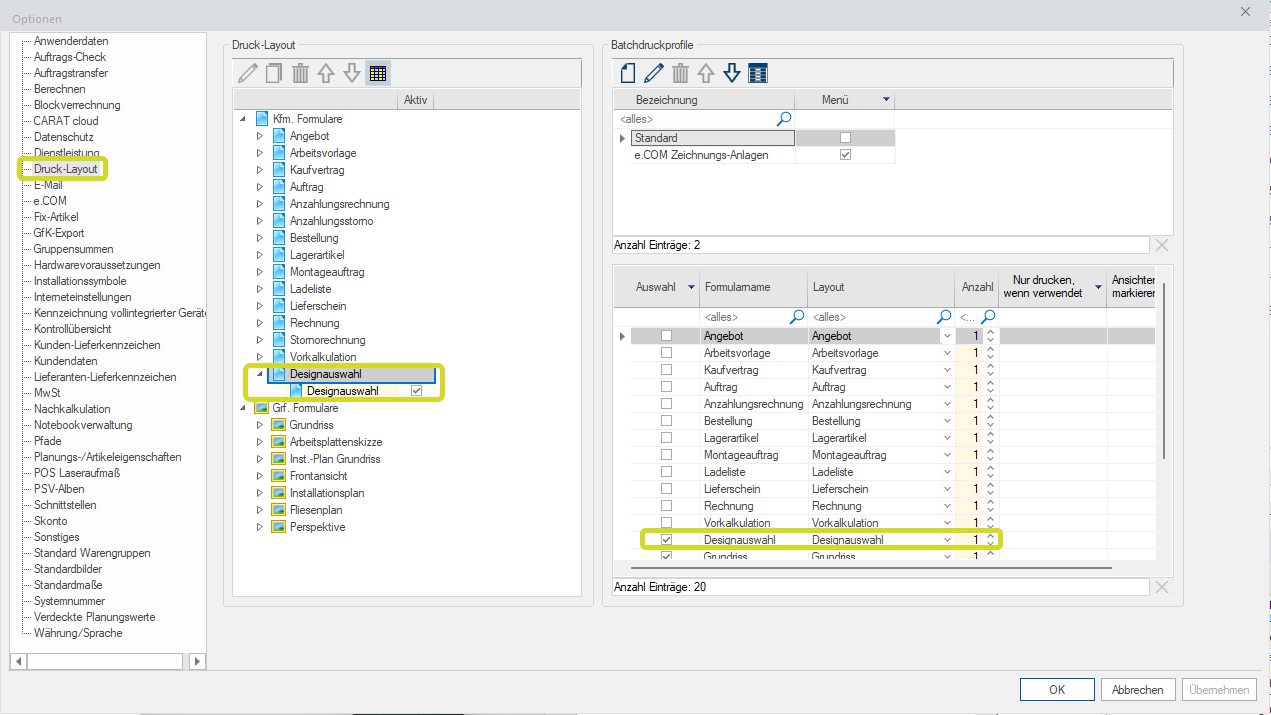
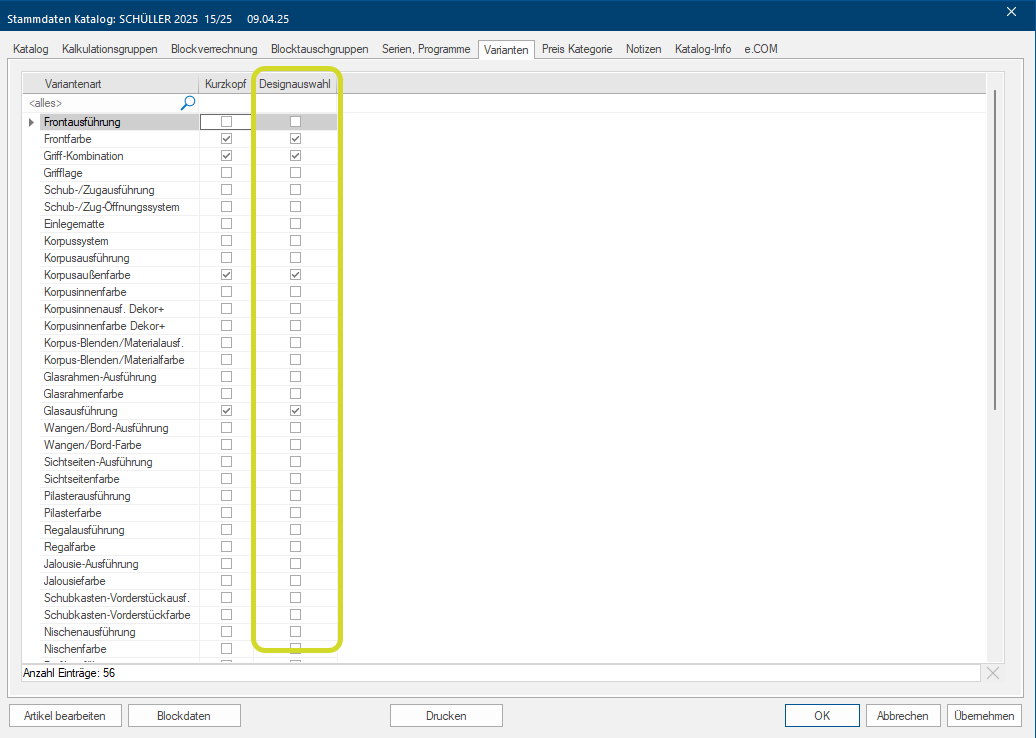
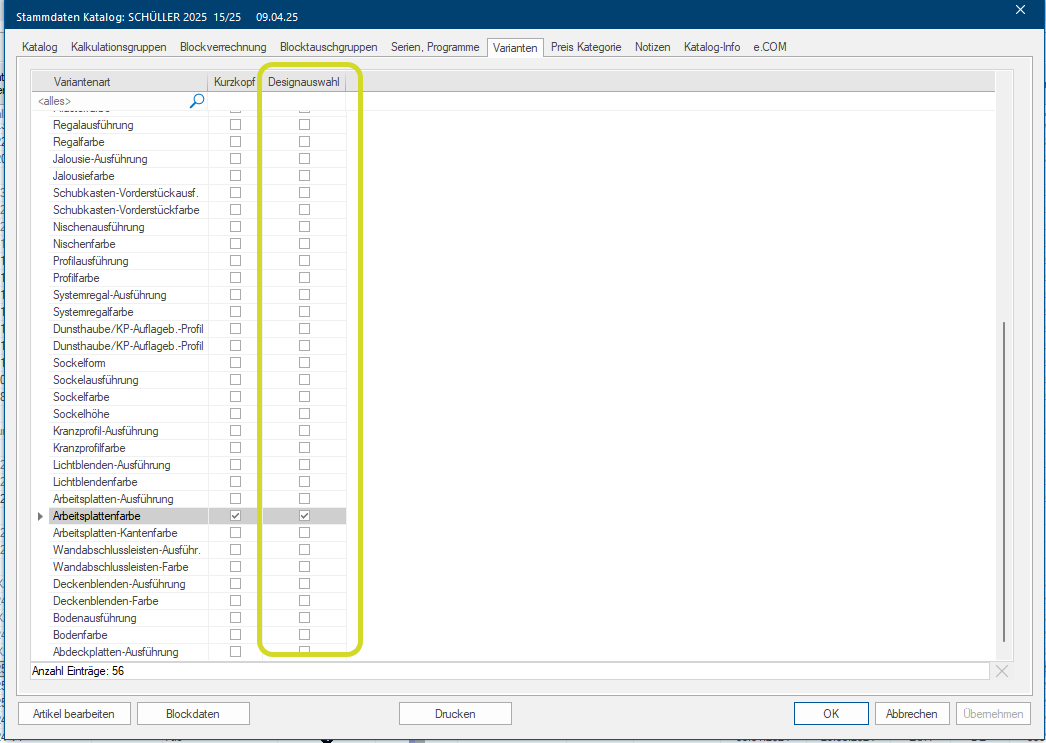
To use it, first activate the design selection in the System options The word option (from Latin: optio = free will) used in computing means a choice. In CARAT it is normally used with a list box. under Print layout and select the desired variants in the Catalogue data of the kitchen manufacturers used under variants in the Design selection column.
|
Print-Layout |
Catalogue data variants example |
|
|
|
 How can you integrate your Company logo into the Design selection PDF document?
You can save your Company logo for CARAT print in the Logo area of the CARAT cloud portal. At generation it will then be automatically integrated in the Design selection PDF document.
Example