GoBD adjustment in CARAT

General hints and recommendations
Effective from activation of the Module 8 G (GoBD) by the CARAT user, all invoices created afterwards will be created in PDF The Adobe Portable Document Format (PDF) was developed and perfected in the 80's by Adobe Systems. Adobe PDF files contain data from any application, that can be displayed on every computer, and are suitable thereby to be exchanged with users throughout the world. format The format or formatting (Latin, forma) is designated in word processing as the design of the text document. In this case meaning the selection of character fonts and character style such as bold or italics. and the system numbers will be recorded in a register. Invoices created in existing commissions before activation of the module will not be converted.
The following areas have been adjusted to support you with the implementation of the GoBD requirements. To this, we focused on the 3 most important requirements of GoBD:
-
Immutability
-
Captivity
-
Verifiability
How to activate the GoBD capability?
In the System options The word option (from Latin: optio = free will) used in computing means a choice. In CARAT it is normally used with a list box. you can activate the GoBD capability yourself in CARAT after having received the Module 8 G from our sales.
To do so, please select the User data tab. Here you can tick the checkbox A checkbox is a standard element in a graphic user interface. A checkbox has, in most cases, two states (set or not set). These usually correspond to a yes/no selection. beside the option Activate GoBD capability in the Module activation area. Another notification will pop up to remind you that this module can not be deactivated anymore.
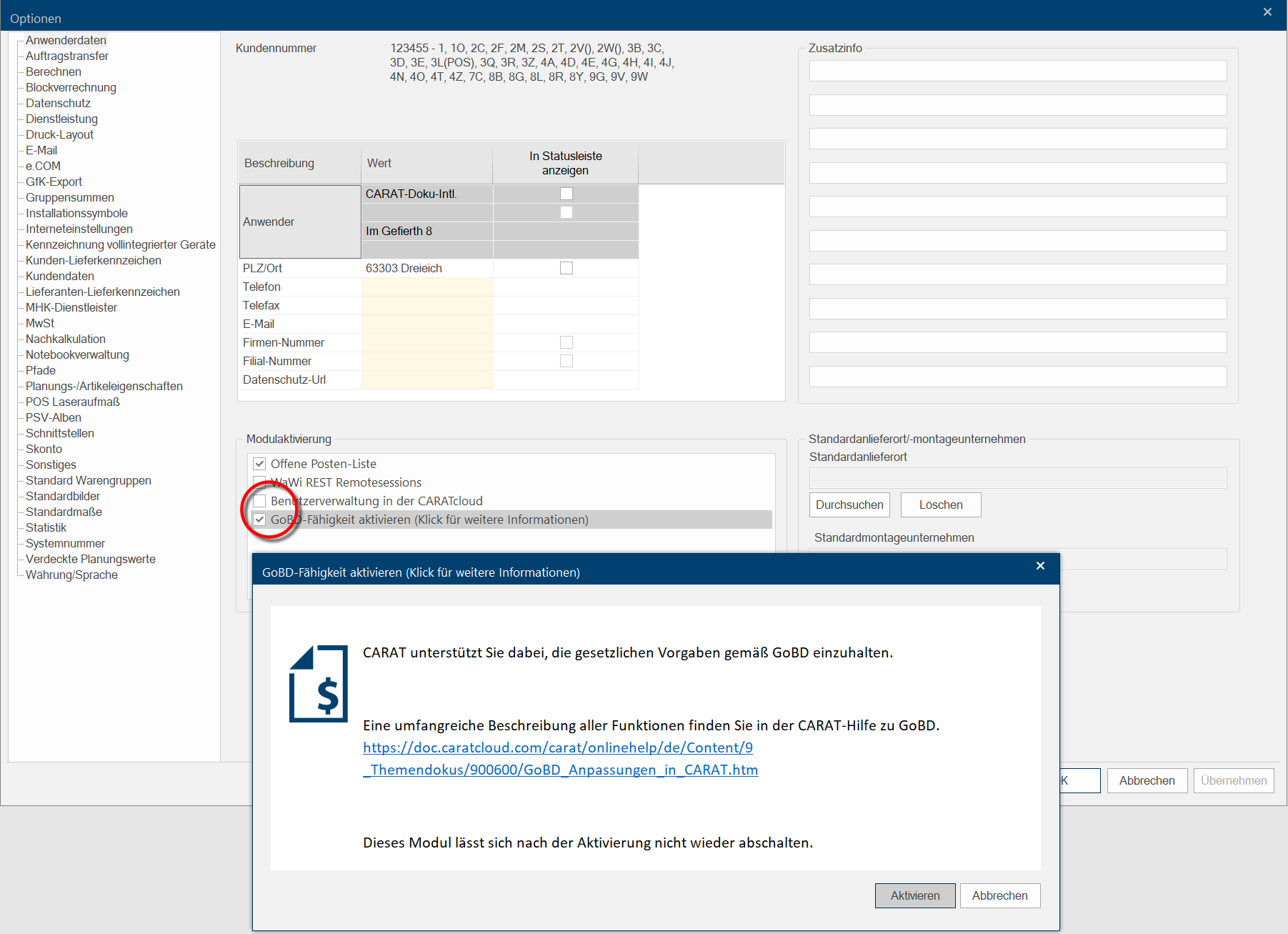
After clicking Typically the LEFT mouse button is pressed once quickly, if not specified differently. Clicking will either mark an object, or when clicking on a button, the execution of the desired activity (e.g. OK, Cancel, Close). on Activate, the GoBD capability will be active.
What adjustments have been made?
 Payment in advance and invoices
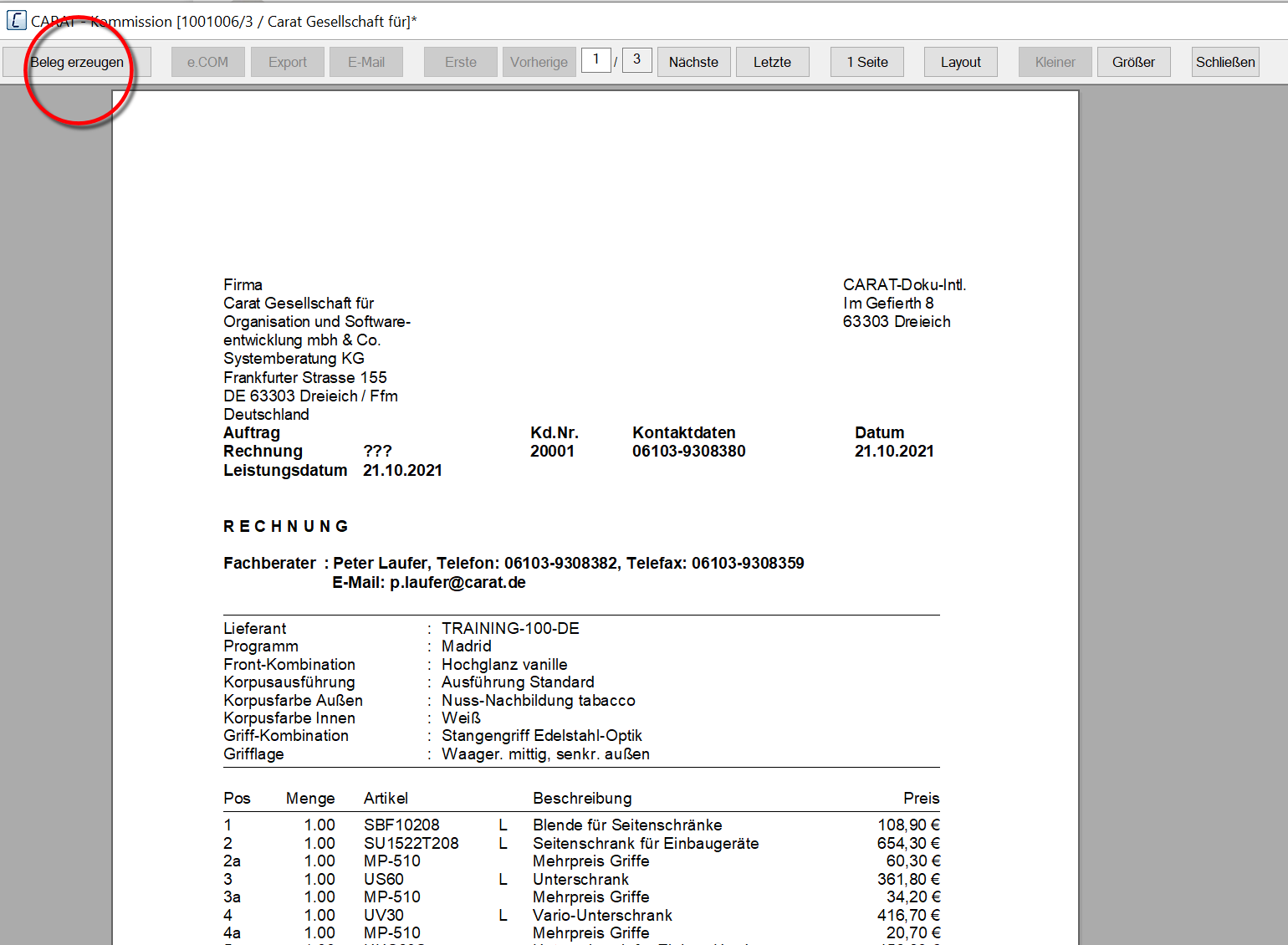
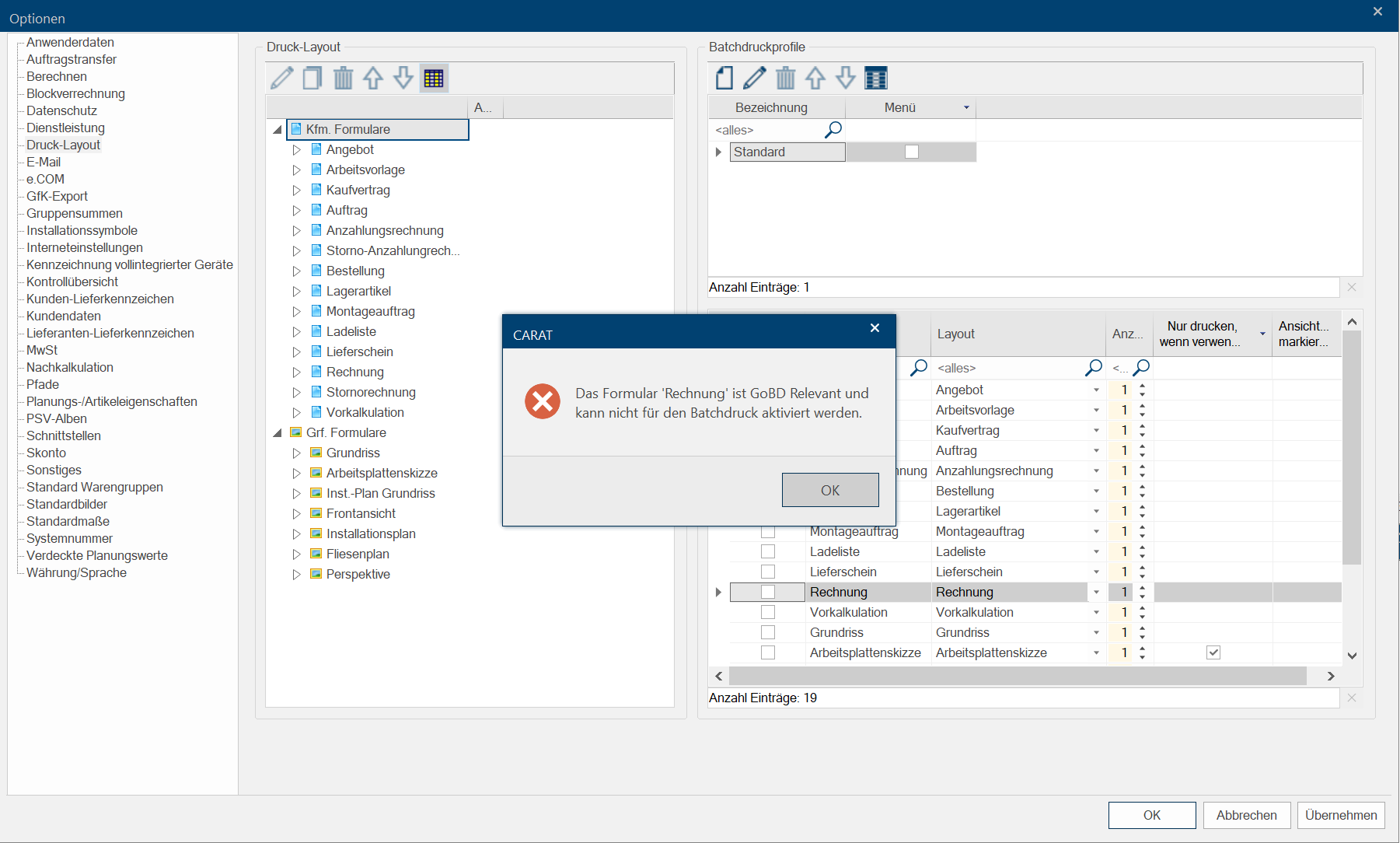
The first thing you will notice is the missing option to print directly from the print preview for invoices and payments in advance. The button In dialogue windows you always find one or more buttons that can be activated by clicking on them. Typical functions for buttons are e.g. OK, Cancel, Apply. Buttons are always activated by a single click with the left mouse button. Print has been replaced by the button Create receipt. An immutable PDF receipt will be created when clicking on Create receipt. It can be printed over and over again in unaltered format. Additionally Addition (in Latin: addere) is one of four basic operations in arithmetic. In primary school and in common language it is the expression used for the adding of two or more numbers., a new automated match of data executed in the background by CARAT, assures that ever newly created invoice will be assigned a never used and consecutive system number - GoBD conformal. Another GoBD adjustment can be found during batch printing Batch print in CARAT is the name for a special type of printing. By means of a batch print you can print several different documents one after another (sequentially) in one step.. It is not possible anymore to print invoices and payments in advance via batch printing. When trying to activate this print option in the print preview, an according notification will pop up.
Create receipt
Batch printing
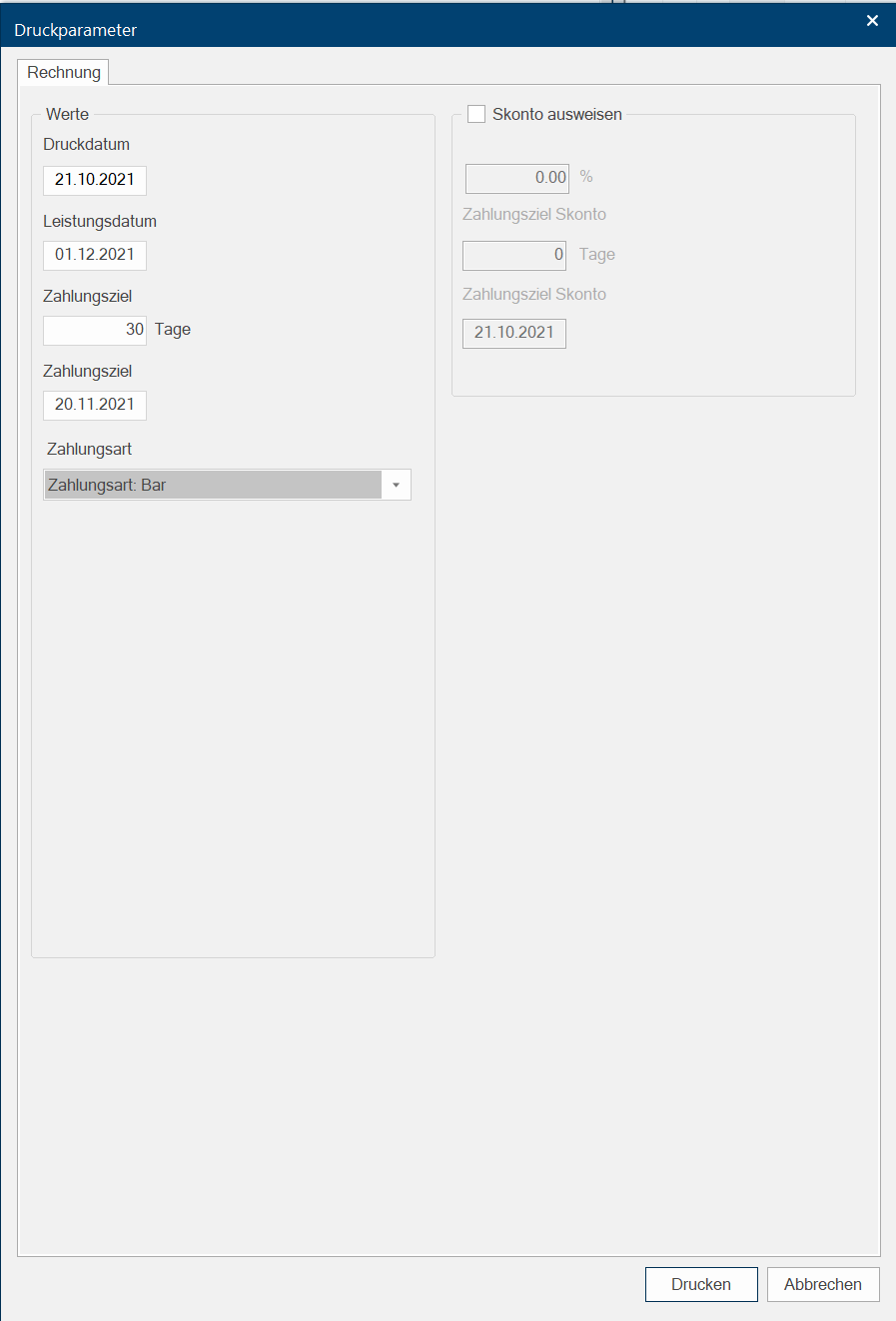
The service date of an invoice or a payment in advance can be entered as autonomous date beside the print date of the invoice in the printing options dialogue Dialogue, dialogue windows or dialogue fields are special windows in software applications. Dialogue windows are displayed by application programs in different situations to request input or confirmation from the user.. Therefore, it now is possible to pre- or backdate the service date without changing the print date of the receipt.
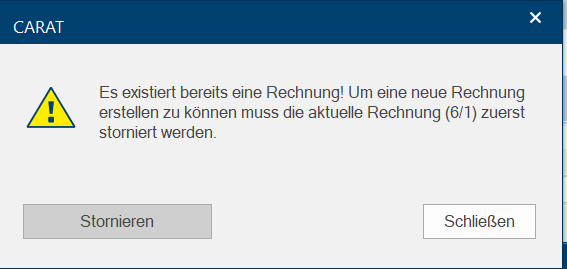
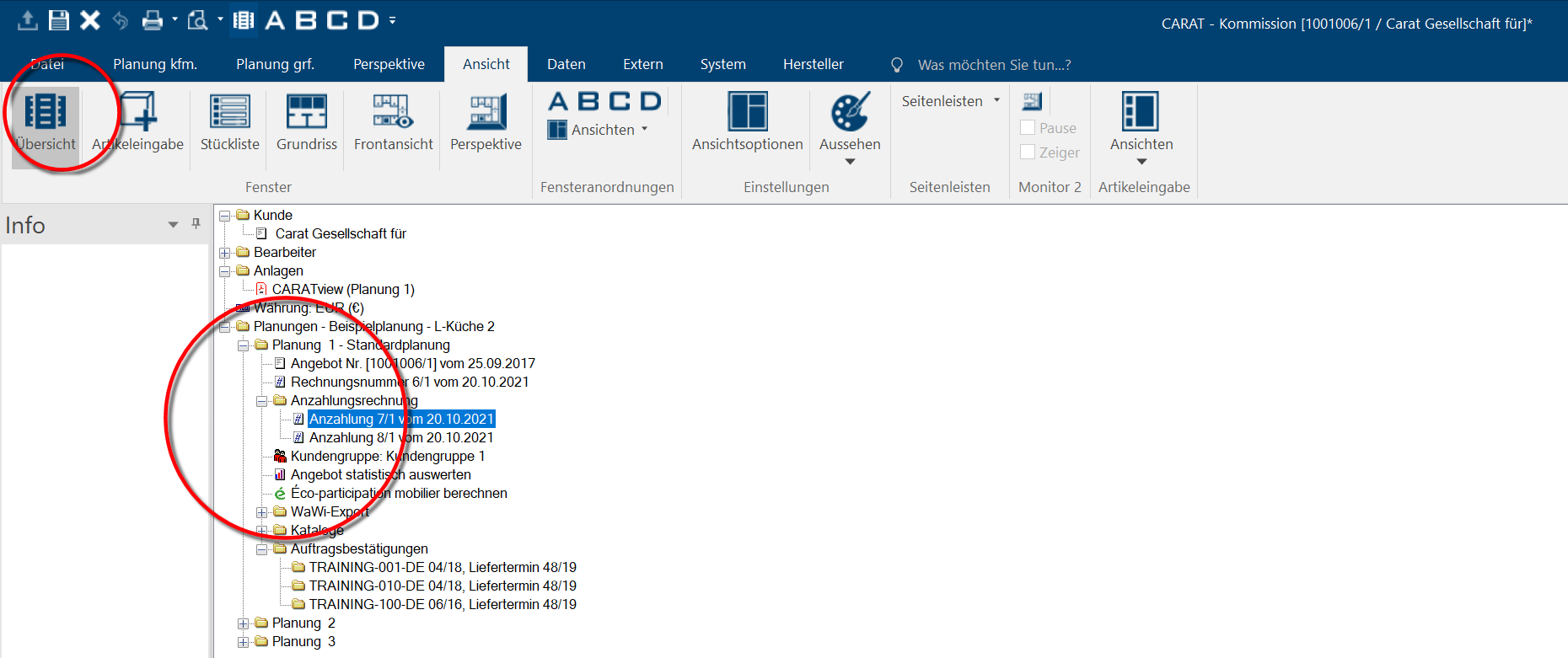
In order to print an unaltered copy of an existing payment in advance or invoice, simply open the commission overview in CARAT and double-click on the according invoice or payment in advance. The PDF print preview will open.
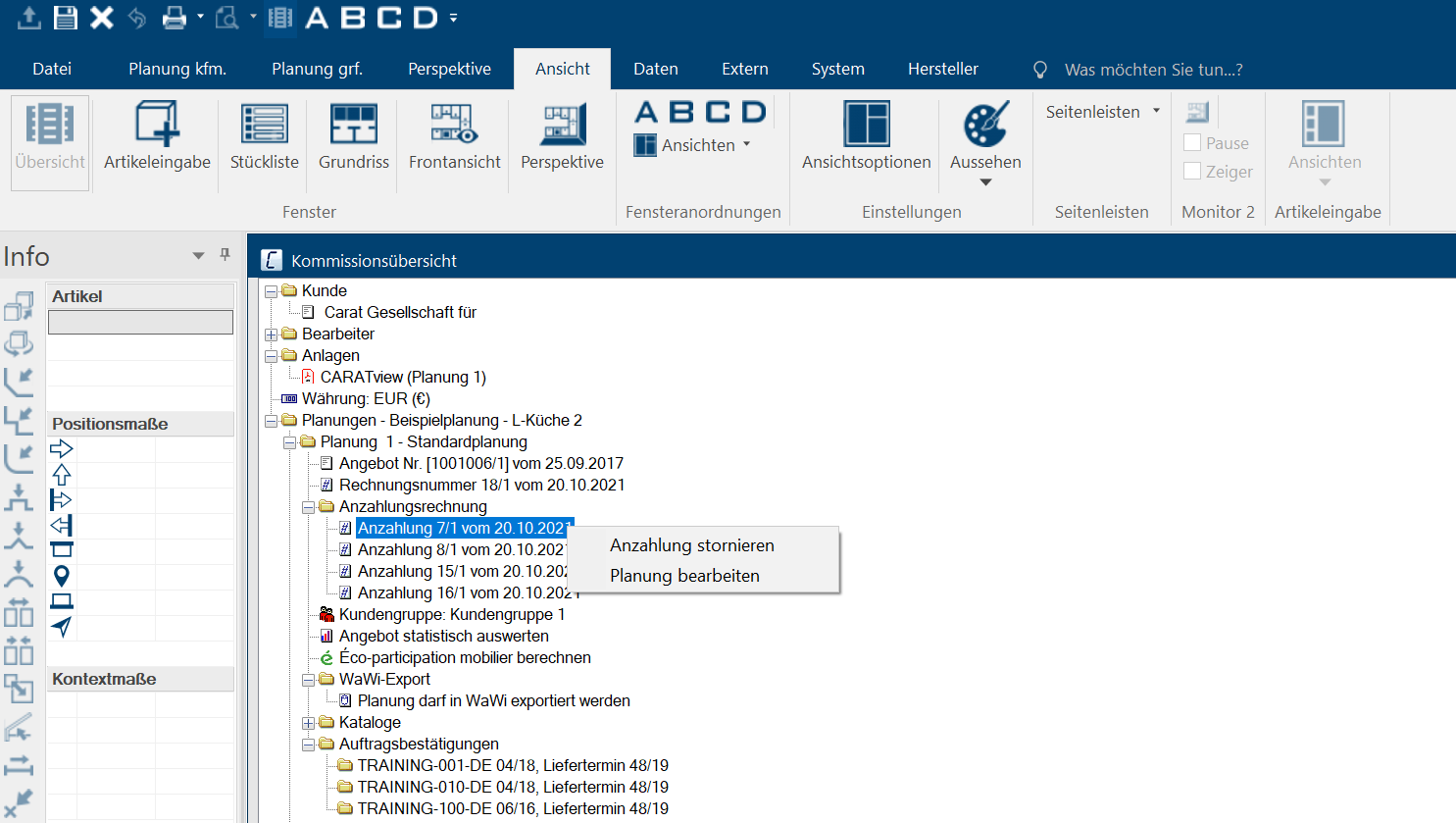
Here you can cancel either payment in advance or invoice with a right-click.
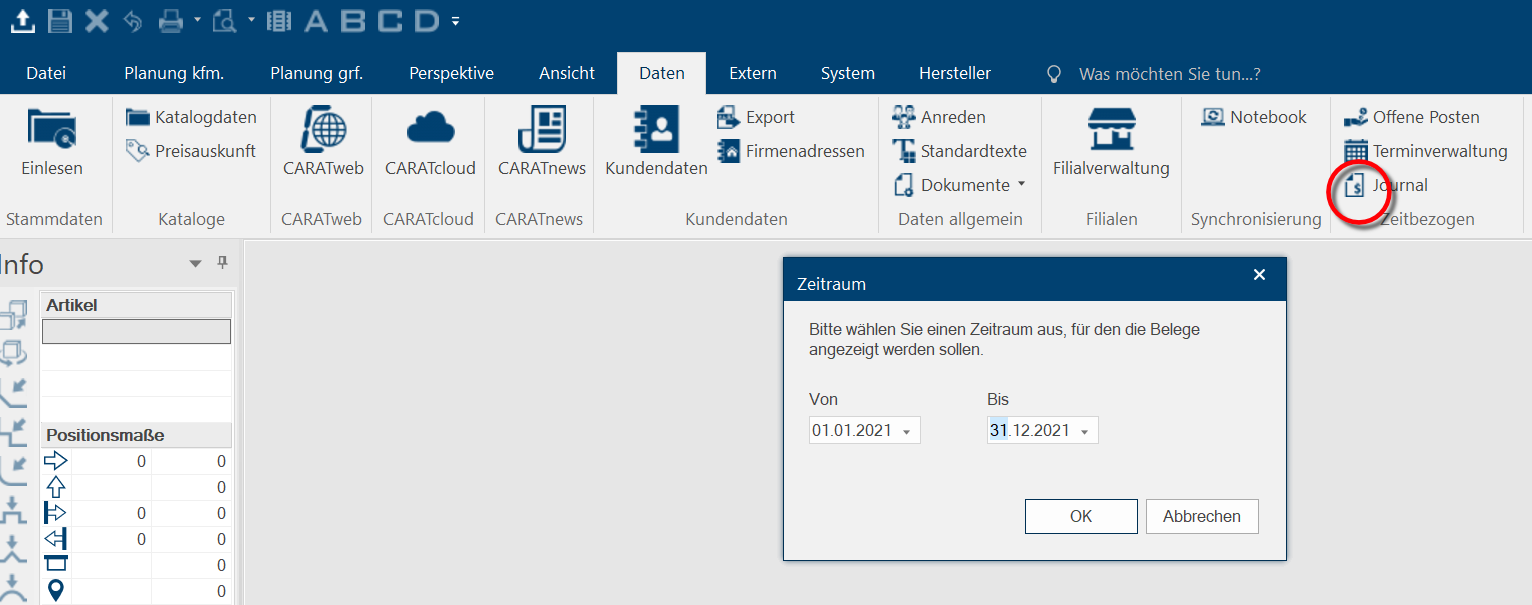
Furthermore, it is possible - given the user has according rights - to open the register with one click on the Data tab in the Time-related area in order to receive a list of PDF receipts after entering the search period.
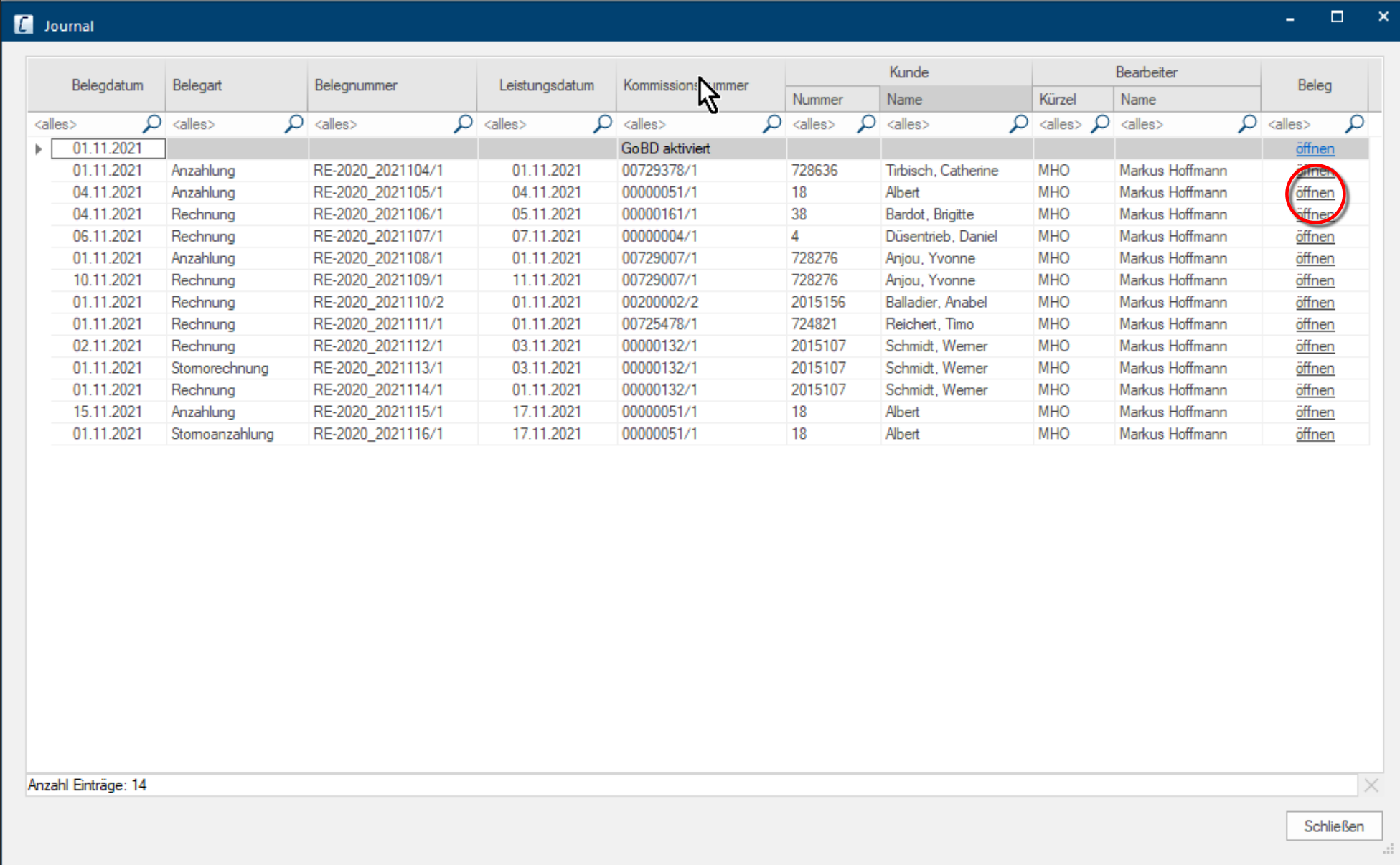

Commission administration
By activating the GoBD capability you can not delete anymore commissions that already contain invoice or cancellation receipts that have been created after activation of the GoBD capability. An according error message will pop up.
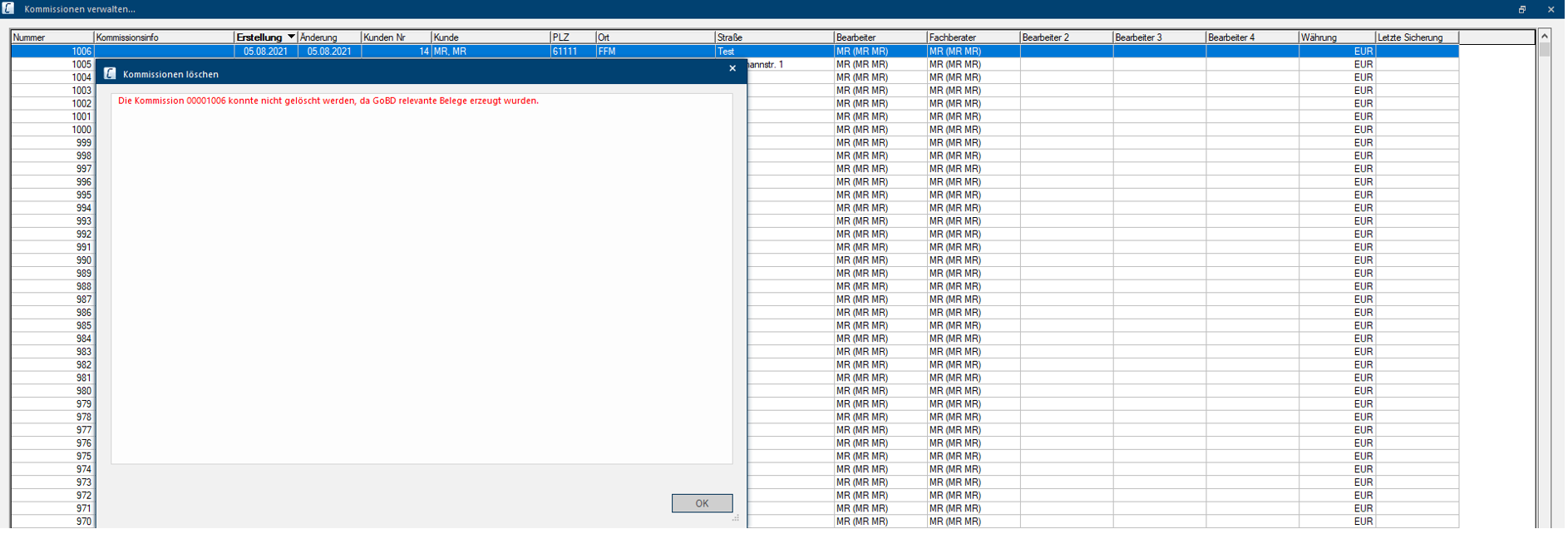
The same applies to deleting plannings contained in this commission. Deleting the planning is not possible if invoice or cancellation receipts have already been created.
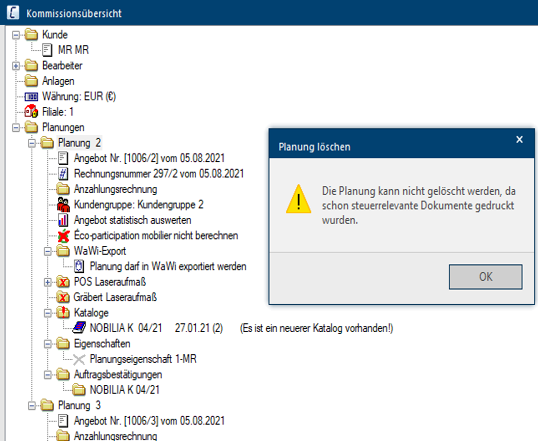
In case you want to duplicate a commission with existing invoice receipts, it is not possible anymore to remove the invoice status. This option has been discontinued from the dialogue Duplicate commission: Options. If a new invoice is created in the duplicated commission, it will automatically receive a new invoice number.
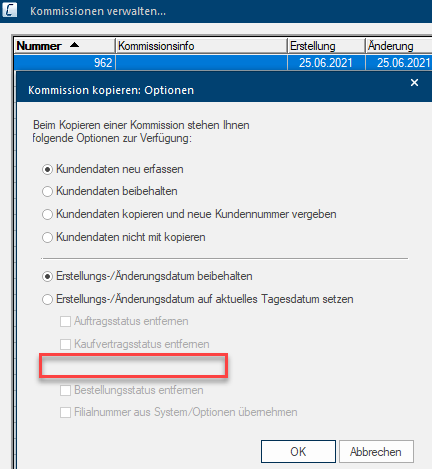
When duplicating a planning from a commission, the invoice status can not be transferred anymore. The option Adopt invoice status to duplicate is not contained anymore in the Duplicate planning dialogue.
Export functions
The RTF The Rich Text Format (RTF) is a file format for texts that is introduced by Microsoft in 1987. export (Rich Text) of invoice documents is not possible anymore with the activation of module 8 G as this could create an alterable invoice format which does not comply with the GoBD guidelines.
The new invoice receipts are also available for ERP export. A new feature allows you to submit cancellation receipts as well provided that the used ERP system can process this in the planning program.
What to do when printing a receipt failed
Printing an invoice will be automatically aborted if it was not possible to store a new system number in the register database or if generating a receipt failed (e.g. due to a network error). The previously "reserved" system number will expire and will not be used again. Additionally, this event will be recorded in the CARAT protocol and can be proven later on if needed.


