e.COM / Tradeplace
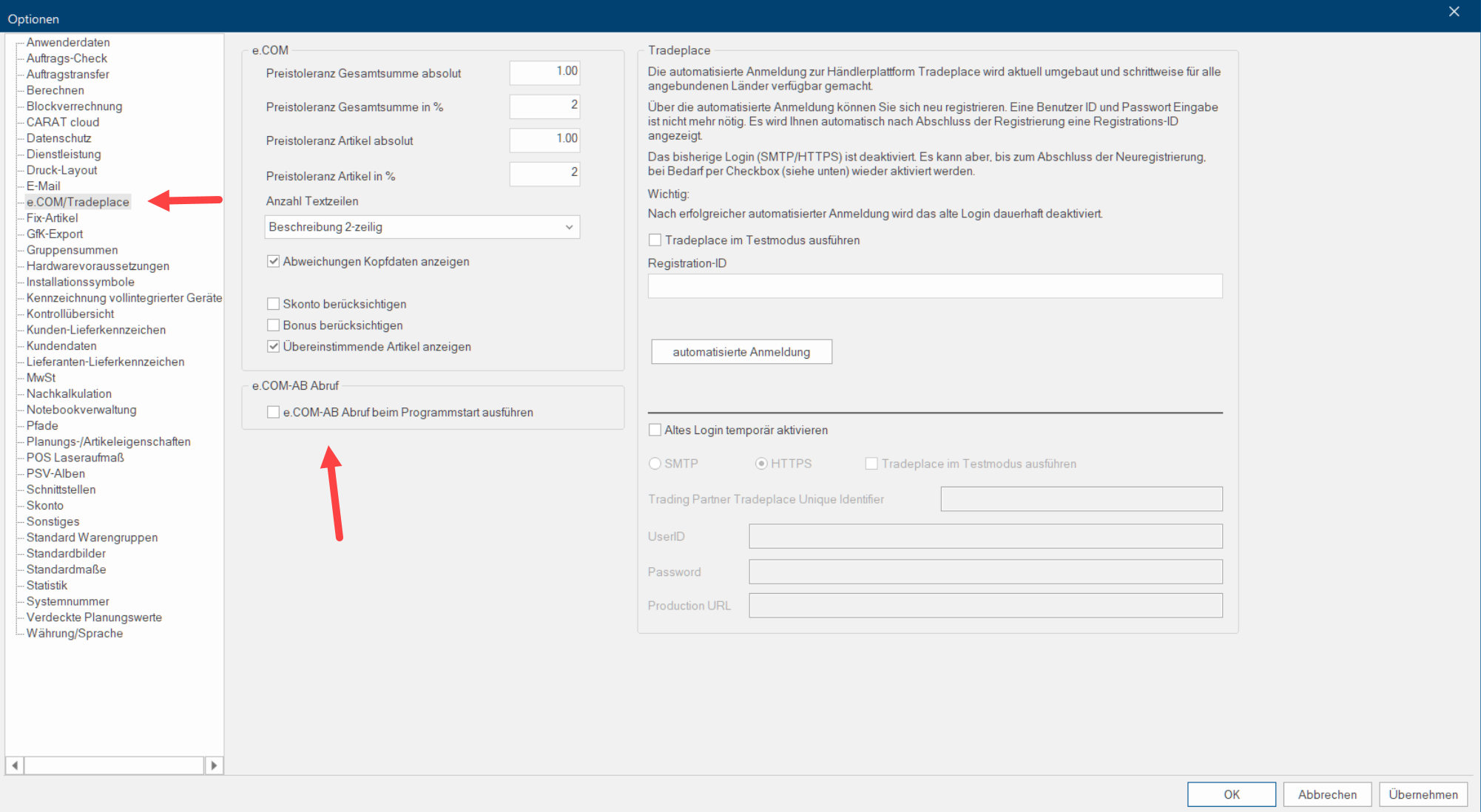
You can set extended specifications for OC checking with e.COM and modify the order relevant settings to conduct electronic ordering using Tradeplace by using the page e.COM.
 e.COM
e.COM
Using the e.COM electronic data exchange, you can not only order with your supplier, but in many cases you can also receive an electronic order confirmation. Depending on the supplier, there can however be differences between the data in the order confirmation and your order. Often however, this only has to do with the different in-house systems that are in use for order processing. The OC balancing in CARAT has been programmed in a way that all differences between your order and the order confirmation are located and indicated. However, it can happen that we compare the article price a bit too accurately.
To take account of this fact, you can enter a price tolerance for the individual prices as either a precise amount or percent value, in the e.COM area. Also, you have the possibility to change the quantity of indicated text rows and specify whether the cash discount and bonus will be considered at showing the price. To keep the reconciliation of the order confirmation clear, you can also specify whether the deviant head data, the versions or the confirmed articles are to be displayed.
Tradeplace
Who or What is Tradeplace?
Tradeplace is the electronic marketplace for the European home appliances and consumer electronics industry. Tradeplace is an independent business-to-business electronic marketplace for manufacturers and retailers of home appliances and consumer electronics in Europe. The participating manufacturers are BSH Bosch und Siemens Hausgeräte GmbH, Electrolux Home Products, Whirlpool Europe, Indesit Company and Philips Consumer Electronics Europe. Tradeplace is committed to advance to an Europe-wide e-marketplace for the industry and to optimise customer service for retailers. Tradeplace also pursues the goal to eliminate inefficiency within the supply chain and to max out the communication possibilities between manufacturers and distributors.
The list with the already available manufacturers can be found here: Manufacturer overview
Updated access to Tradeplace with CARAT version V2025.4.0.1:
In order to use the updated An update designates a new version of a base software program, which fixes faults or contains small improvements. access to Tradeplace with CARAT, it is mandatory for already registered users to renew the registration via the automated login from CARAT version V2025.4.0.1 on. New registrations are currently only possible with the CARAT versions V2025.4.0.1 or higher.
Previous registrations with Tradeplace that have been created with User ID and Password can still be used on an interim basis with the old login until you have renewed your registration.
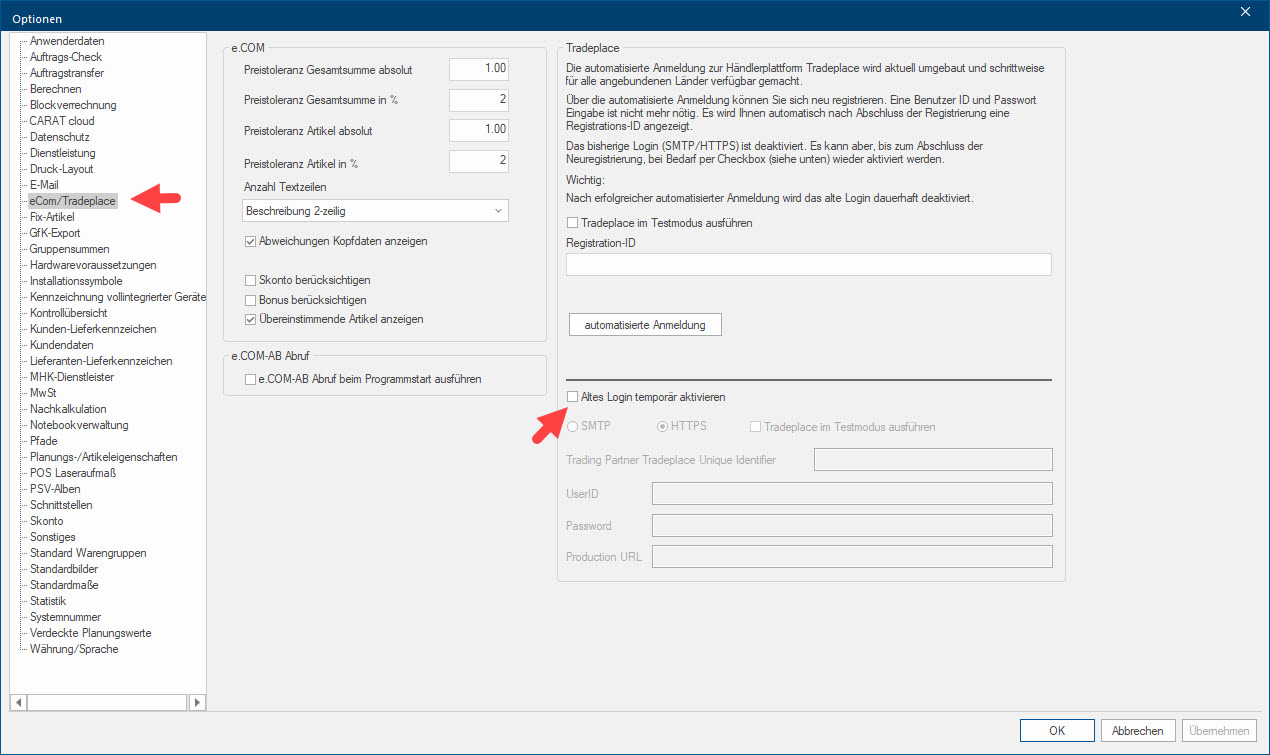
A wizard will guide you through the registration. After completing the registration, a registration ID will be displayed.
Logging in with User ID and Password is not necessary anymore.
See also: The automated login with Tradeplace
Please consider that a warehouse address is mandatory for a successful login to Tradeplace. In case you do not own a warehouse address please create one in CARAT in the Company addresses area beforehand. To do so, please click on Company addresses in the CARAT menu bar of the Customer data area on the Data tab and select Company address is warehouse address from the following dialogue Dialogue, dialogue windows or dialogue fields are special windows in software applications. Dialogue windows are displayed by application programs in different situations to request input or confirmation from the user..
See also: The company addresses
As a last step please select the transmission format The format or formatting (Latin, forma) is designated in word processing as the design of the text document. In this case meaning the selection of character fonts and character style such as bold or italics. Tradeplace for the respective catalogues in the catalogue master data Head data in CARAT is the generic term for all details that are needed for the design and ordering of a kitchen. This is for example, the selected program or variations in carcase versions, or worktop edge. on the e.COM tab. If you have already placed orders via Tradeplace with the previous login, this step does not apply.
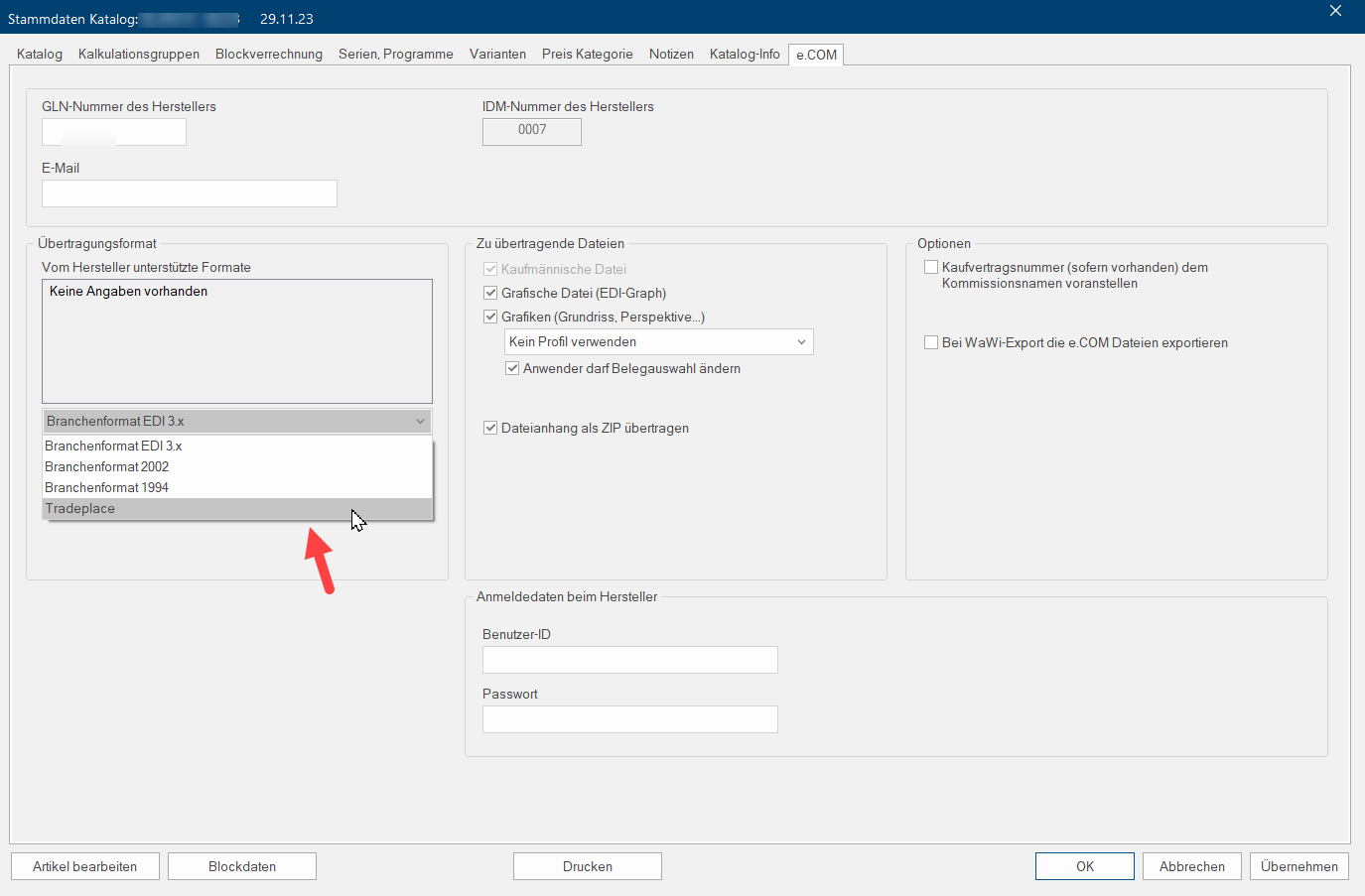
Now you can process your orders via e.COM in CARAT as used.


